Outposts and Orders control in Military Army Tycoon
What the official text confirms about capture zones and squad dispatch — and what it does not invent.
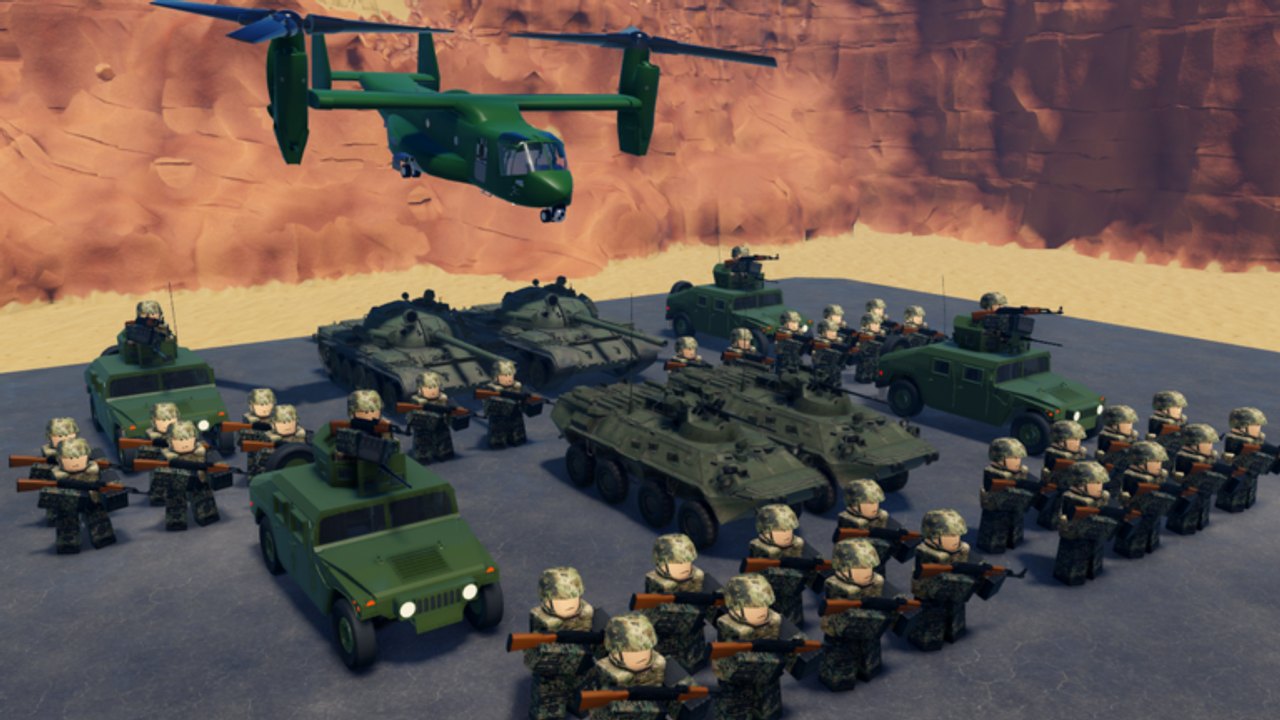
Military Army Tycoon ships with outposts — named capture zones on the map — and an Orders control that lets you dispatch squads without manually clicking each unit. Neither system is a named roster or a loot table. Both are confirmed by what the Roblox description says the game does: send troops into battle, capture strategic locations, and fight enemy armies. This page is the only documentation this wiki will publish on those two systems until Battle Action adds a feature sentence, a named pad, or a price tag.
If you opened this page looking for a fortress, an oil rig, or a diamond exchange: close it. Those belong to InfinityInteractive’s Military Tycoon. If you opened it from the starter checklist because your UI showed an Orders button you have never used: keep reading.
What an outpost is
An outpost is a named capture zone on the map. Battle Action’s description says the loop is to capture strategic locations — outposts are that mechanic made spatial. You send troops, they travel to the outpost, and when a squad is present the location is yours. Six-player servers mean five other commanders are watching the same outposts. An empty outpost is an invitation.
The official gallery does not name any outpost. This wiki will not invent one. Until Battle Action posts a map or a list, all we can document is the mechanic: outpost exists, it takes a squad to hold, and it can be taken by a rival squad.
What the Orders control does
The Orders control appears in the HUD. It lets you queue commands for your squads without clicking each unit individually. That is the practical benefit: a mixed army with infantry, a vehicle gunner, and a heavy hull does not need you to click each piece separately. You queue the order once and the system dispatches.
This matters most when:
- You are managing a mixed army — infantry plus a roof-gun truck plus a tank — and need all three pieces in different places at the same time.
- You are holding multiple outposts and do not want to babysit each squad individually.
- You need to rotate — pull one squad from a defended point and send it to a new location — without losing the first point.
The Orders control is not described in the official text with that name. We are calling it that because it appears as a named button in the HUD. If a patch renames it, this page updates.
How outposts and Orders interact
Send a squad to an outpost using the Orders control. The squad travels, arrives, and contests the location. If no enemy squad is present, the outpost flips to your color. If an enemy squad is present, combat happens and the winner holds.
You can queue multiple orders for the same squad. A squad on an Orders loop will cycle through waypoints. That is useful for:
- Patrol routes — a squad that moves between two outposts, contesting both without you clicking twice.
- Fallback — a squad that holds Point A until it is lost, then automatically advances to Point B.
- Reserve dispatch — a squad that waits in the staging area until a frontline outpost is threatened, then moves on command.
These are use patterns, not confirmed game features. If Battle Action publishes an Orders manual, this page will quote it.
What outposts are not
- Not a fortress with a loot table. Battle Action has not posted a reward value per outpost. We will not invent a cash stipend.
- Not a nation-colored territory. There is no country select. The color of the outpost is ally (blue outline) versus enemy (red outline).
- Not a guaranteed income source. Holding an outpost generates tempo, not a published number. Spend the tempo on the next pad.
- Not a replacement for the group boost. The free boost is still the first click.
After the 2 September stamp
The 2 September 2026 Roblox Updated stamp did not add or remove outpost text. The description still reads the same: squads, weapons, composition, capture, autosave, group boost. No new Orders feature, no new outpost name, no new capture mechanic.
When a patch adds a named outpost or changes how Orders works, this page gets a line. Until then, the discipline is the same as how to capture: send the squad, hold the point, convert the win, repeat. The Orders control is a convenience, not a strategy. The strategy is still in the guides.
Quick reference
| System | Confirmed? | Notes |
|---|---|---|
| Outposts exist | Yes | Named capture zones on the map |
| Outpost names | No | None published; this wiki does not invent them |
| Orders control exists | Yes | Named button in the HUD for squad dispatch |
| Orders queue depth | Unknown | No published limit documented |
| Cash per outpost | No | No published payout table |
| Patrol / fallback routes | Use pattern | Not a confirmed feature; use as a convenience |
| Outposts change after patch | Unknown | Check Updates Hub when stamp moves |
Open the guides hub to find the loop pages. Open the starter checklist if the Orders button is the first new thing you have seen after spawning. Open how to build an army if the outpost you tried to hold keeps flipping back.
Frequently Asked Questions
Quick answers for new commanders.
What is an outpost in Military Army Tycoon?
An outpost is a named capture zone on the map. You send a squad to hold it. It is the spatial version of the 'capture strategic locations' sentence in the official description.
What is the Orders control?
A HUD button that lets you queue movement commands for your squads without clicking each unit. Useful for mixed armies holding multiple points or rotating between outposts.
Does each outpost pay a known cash amount?
No published payout table exists. Holding an outpost generates tempo for the next pad, not a named cash number. See how to get cash.
Can I use patrol or fallback routes with Orders?
Orders lets you queue waypoints. Treat patrol and fallback as use patterns, not confirmed features. If Battle Action publishes an Orders manual, this page will quote it.
Are outposts the same as oil rigs or fortresses in Military Tycoon?
No. Those belong to InfinityInteractive's game. This title has no published outpost names, no fortress loot table, and no published capture payout.
When will this page change?
When a patch adds a named outpost, changes how Orders works, or posts a capture mechanic. Check the Updates Hub when the Roblox Updated stamp moves.