Getting started in Military Army Tycoon
Confirm the Battle Action place, claim the group boost, and spend the first hour on a cheap mixed army — not rumor codes.
Military Army Tycoon by Battle Action went live on 15 August 2026. The Roblox place ID is 95409544559668. If the experience picker, a YouTube overlay, or a codes article shows country flags, diamond counters, oil rigs, or an F-35, you loaded InfinityInteractive’s Military Tycoon instead. Close it. This beginner page is only for the six-player Simulation / Tycoon from Battle Action, the group that also publishes the starter boost in the official description. The rest of the first-hour map lives on the guides hub.
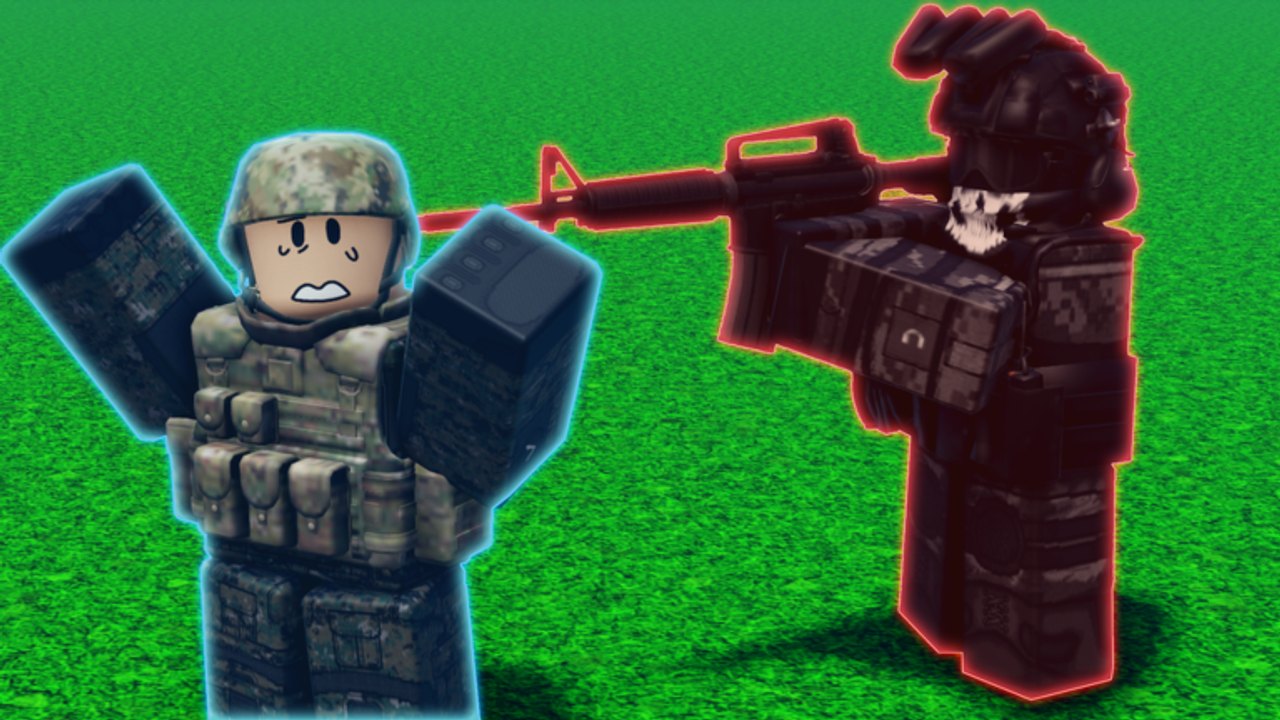
Progress saves automatically. You can leave mid-session and the plot will still be there. Servers hold six players. Avatars are R6. Official art shows camouflage infantry, Humvees, tanks, APCs, and a green tiltrotor in a desert canyon, plus close-quarters fights with a blue-outlined ally versus a red-outlined black-ops enemy. Use those outlines the first time someone shoots at you. Do not invent extra unit names while you learn the buttons.
Minute 0: join the right experience
- Open the game from the official Roblox listing or search Military Army Tycoon and check the creator is Battle Action.
- Before you spend a single button, join the Battle Action group. The group boost walkthrough is the only free drop we can document from the official text.
- Glance at the codes hub. As of 31 August 2026 the active table is empty. Do not paste
warfund,loadsofdiamonds, or any other Military Tycoon string here. - Spawn, claim a free tycoon plot, and walk. First-session buttons are on the floor or on pads. Step on them in price order, not in screenshot-fantasy order.
If the server is full, hop once. Six slots fill fast around a million visits and several thousand concurrent players, but you do not need a private server to finish the first hour.
Minute 5: spend like a commander, not a collector
The official loop is: build the base, unlock soldier squads, equip weapons, expand and upgrade, then send troops to battle and capture strategic locations. That means the first cash pile should buy income plus one cheap squad, not a late visual from the gallery. A lonely expensive pad you cannot support loses fights against mixed teams on a six-player map.
Follow this spend order until the plot has a deployable group:
- Expand the base enough that production does not stall every time you buy a pad.
- Unlock the cheapest soldier squad you can actually send out.
- Equip a weapon that matches the range you will fight at, not a trophy from a thumbnail.
- Leave the plot and practice a capture using how to capture.
If you want a named route instead of improvising, steal a starter army build and skim the soldier squad rankings. Rankings are opinions about roles, not an official Battle Action roster. We still refuse to invent model names.
Minute 15: leave the plot on purpose
New commanders AFK the collector and wonder why flags flip. The description tells you to send troops into battle. Walk toward a nearby objective, watch for red outlines, and treat blue outlines as friendlies. Desert-canyon sightlines are long; close-quarters screenshots are the reminder that interiors and corners still matter. After a push, walk home and convert the win into the next upgrade. That three-beat session is explained in how to play and paced on how to get cash.
Autosave is not an excuse to rage-quit a lost flag. Rejoin the same plot. The buttons you already bought are still bought.
What you should not do on day one
- Do not hunt a country select screen. This title does not ask you to pick a nation.
- Do not wait for diamonds. Diamonds are the other tycoon’s premium loop.
- Do not park on an oil rig guide from 2022.
- Do not skip the group join because “codes will drop later.” The boost is live now; typed codes are not.
- Do not empty the plot’s cash into one spectacular vehicle from a screenshot. Humvees, tanks, APCs, and the tiltrotor are what the art shows, not a shopping list we can price.
- Do not ignore controls if you are on a phone. Landscape mode often reveals the next pad the portrait HUD clips.
Print the shorter version on the starter checklist if you already know the genre and only need a punch list. Come back to composition rankings and progression after you survive a real capture, not before you own a squad.
A clean first-session recap
Right game, group joined, plot claimed, cheap squad funded, one capture attempted, no rumor codes pasted. If that list is done, you have started. Read how to build an army next so the second hour is composition instead of panic spending. Check the launch recap only if you need to know what shipped on 15 August versus what thumbnail accounts invented the week after.
If your first session ends with an empty plot, an unclaimed group boost, and a browser tab of diamond codes, you played the search results, not Battle Action. Rejoin the same save — autosave kept the buttons — skip the rumor list, and walk the next unlock you can actually afford.
Frequently Asked Questions
Quick answers for new commanders.
How do I know I launched the correct Military Army Tycoon?
Check place 95409544559668 and the Battle Action creator. Country select, diamonds, oil rigs, and F-35 bunker lines mean you opened the other Military Tycoon.
What should I do before buying the first tycoon button?
Join Battle Action for the group boost, confirm the codes hub is empty, then claim a free plot.
Does my base save if I disconnect?
Yes. Official text says progress is saved automatically. Rejoin and continue the same plot.
Should I AFK the plot for the first hour?
No. Fund one cheap squad and attempt a capture. Six-player servers take empty flags. See how to capture.
Where is a first-hour punch list?
Use the starter checklist plus a starter build after this walkthrough.